
Log in to your portal
Your client portal is where you book sessions, complete your paperwork, track your credits, and manage your account. Signing in takes two steps.
Before you start
You'll need a client account and the email and password you signed up with. New here? See the 'I don't have an account yet' note below first.
01
Open the login page and enter your details
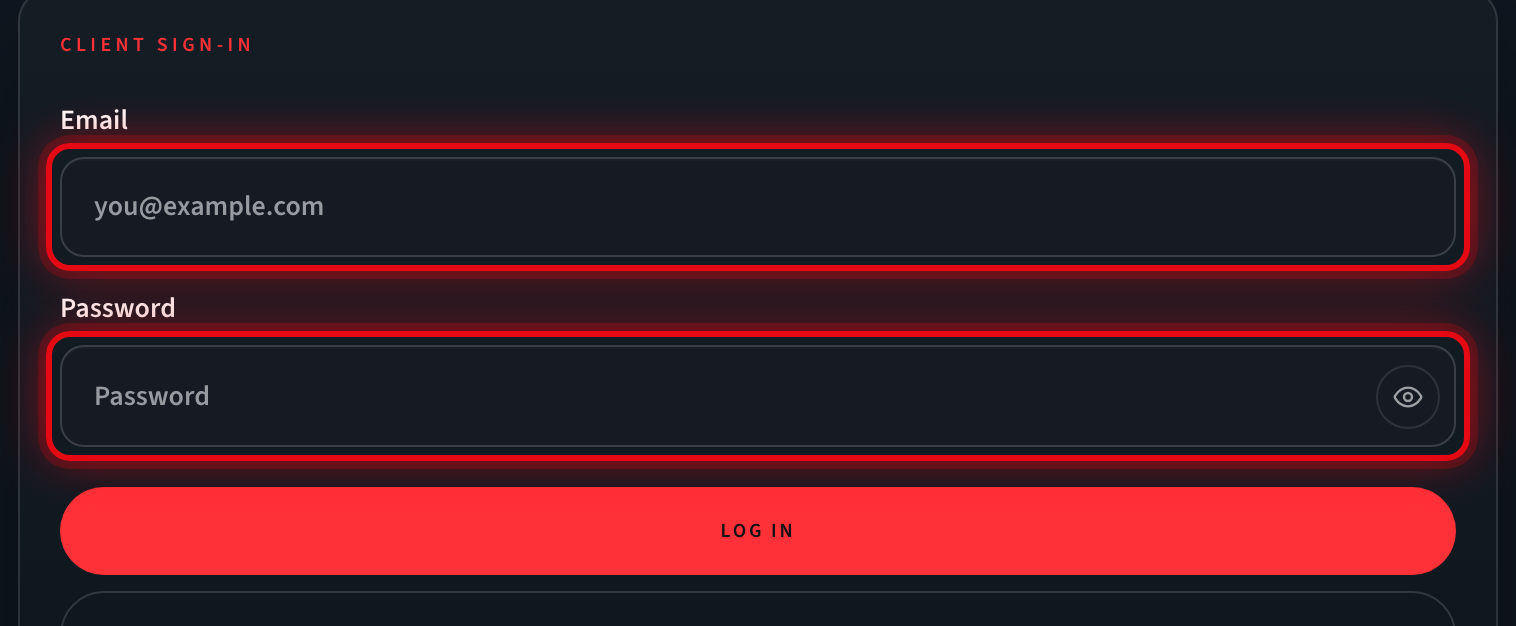
In a web browser, go to powerhouseatx.com/login. In the two highlighted boxes, type the email address you signed up with and your password. To make sure your password is correct, tap the eye icon at the end of the Password box to reveal it.
What you’ll see: Both boxes are filled in and the red Log in button is ready.
02
Select "Log in"
Click the red Log in button to sign in.
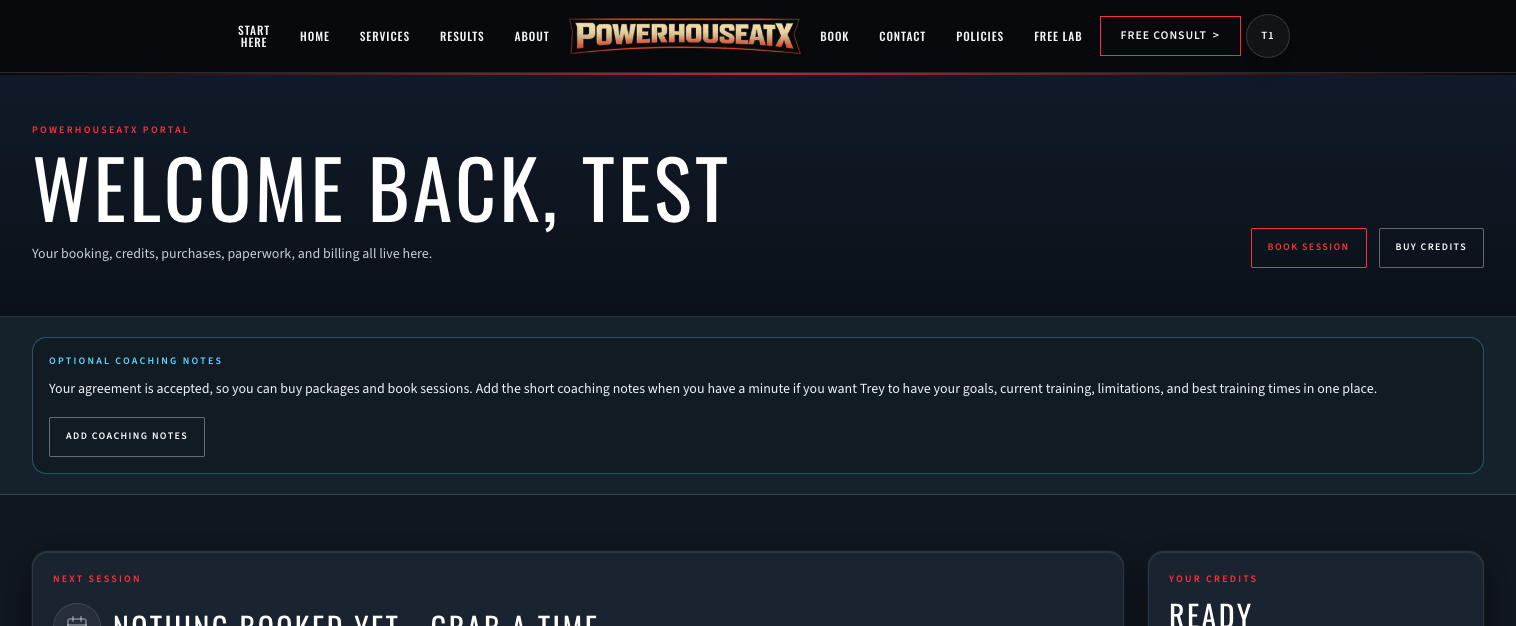
What you’ll see: You arrive in your portal with Schedule a session, Buy sessions, your credit status, My sessions, and paperwork status. If you're a new client, you'll land on Paperwork & setup first — finish that paperwork once and booking unlocks.
Tips & common questions
Good to know
- Use the eye icon at the end of the Password box to show or hide what you typed — handy on a phone.
- The same login works on your phone and your computer. There's no separate app to download.
- Stay signed in on your own device so you don't have to log in every visit; always log out on a shared or public computer.
Common questions
- I forgot my password.
- On the login page, choose Send reset link and enter your email. We'll send a link to set a new password. If it doesn't arrive within a few minutes, check your spam or promotions folder.
- I don't have an account yet.
- On the login page, choose Create client account and register with your email. After that, accept your waiver and training agreement on the Waiver & Setup page, and you'll be able to book sessions.
- My email and password aren't being accepted.
- Check for an accidental space or Caps Lock, and confirm you're using the exact email you signed up with. If it still won't work, use Send reset link to set a new password, or contact us and we'll get you in.
- Do I have to finish paperwork before I can book?
- Yes. Booking stays locked until your waiver and training agreement are accepted on the Waiver & Setup page. It's a one-time step that takes about a minute.